

SECURE OT / IT DATA FLOW
Connect OT to IT Without Opening Inbound Firewall Ports
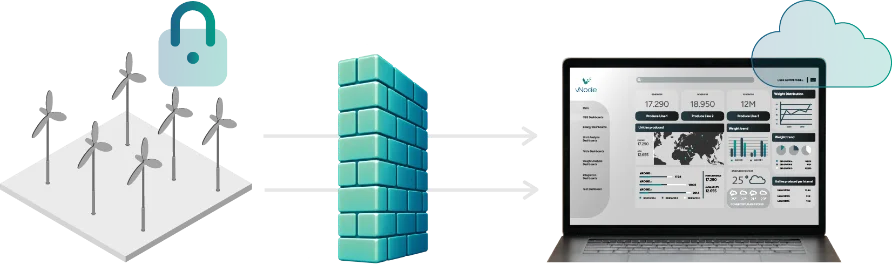
With outbound-only OT to IT connectivity, vNode can move industrial data from a protected OT network to IT or cloud destinations using connections initiated from the OT side outward. This architecture avoids creating a new inbound initiation path from IT or the Internet into the OT zone for that data flow. vNode combines the outbound connection pattern with encrypted transport, authentication, industrial protocol acquisition and optional IDMZ, Store&Forward and data-diode architectures.
Who initiates the connection?
vNode initiates a secure outbound connection from the protected OT network to your IT, DMZ or cloud. No new inbound connections are required.
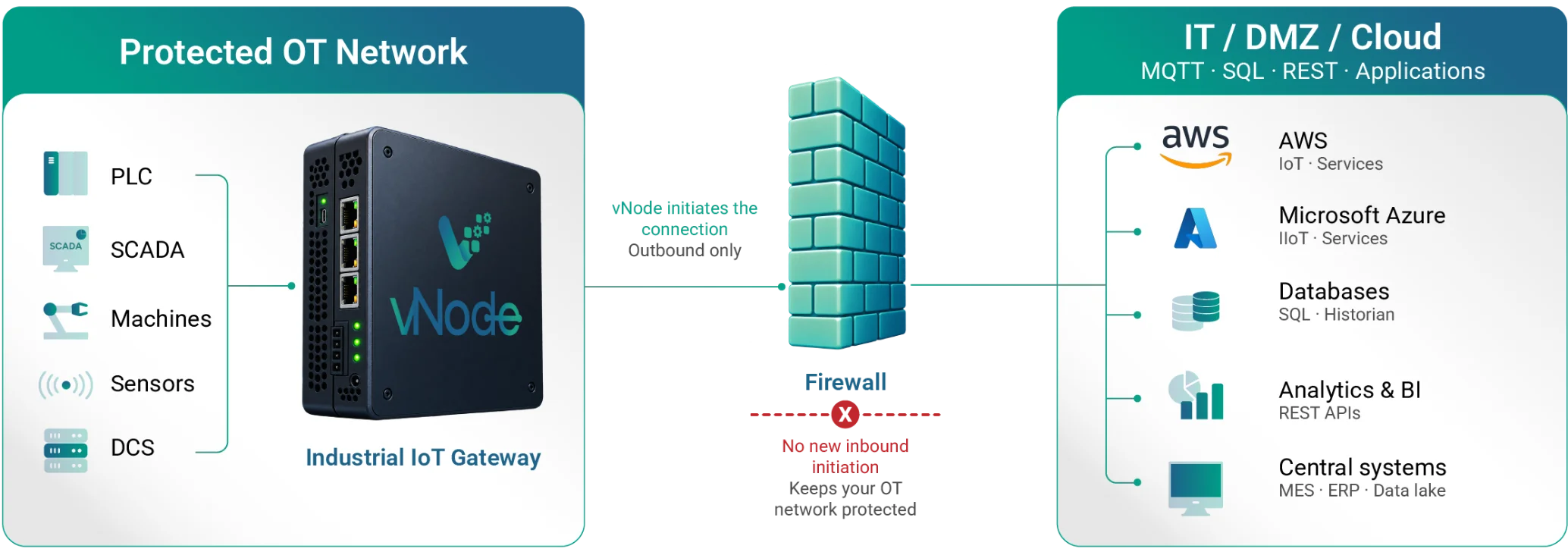

More secure
No exposed OT

Works across firewalls and NAT
Outbound connections only

Reliable
Store&Forward

Designed for industrial environments
Simple, secure, and scalable
THE PROBLEM
Why Inbound Connections Into OT Are Difficult
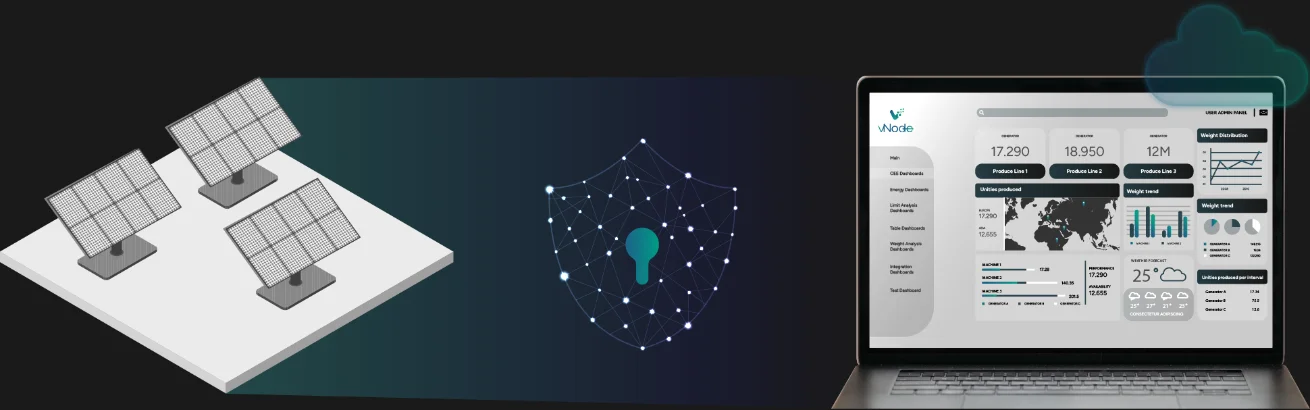
Segmented OT networks limit inbound connections deliberately: every open port into the plant floor is a potential attack surface, adds change-control burden, and complicates the boundary between IT and OT. Security teams generally prefer tightly controlled conduits over broad inbound reachability, though outbound traffic is not automatically safe either; it still requires the controls described below.
ARCHITECTURE
How Outbound-Only OT to IT Connectivity Works
vNode acquires data close to the industrial sources, initiates the approved connection outward, and delivers only the data and destinations configured for the project.

Acquire
Collect data locally from OT sources.
Initiate outward
vNode opens the outbound connection from the protected side.

Authenticate / encrypt
Identity and encrypted transport are established for the session.

Deliver
Approved data reaches the IDMZ, IT or cloud destination.

Reconnect
The connection re-establishes automatically after an interruption.
From Any OT Source to Your IT, DMZ or Cloud
vNode securely connects, processes and delivers industrial data to the systems you choose.
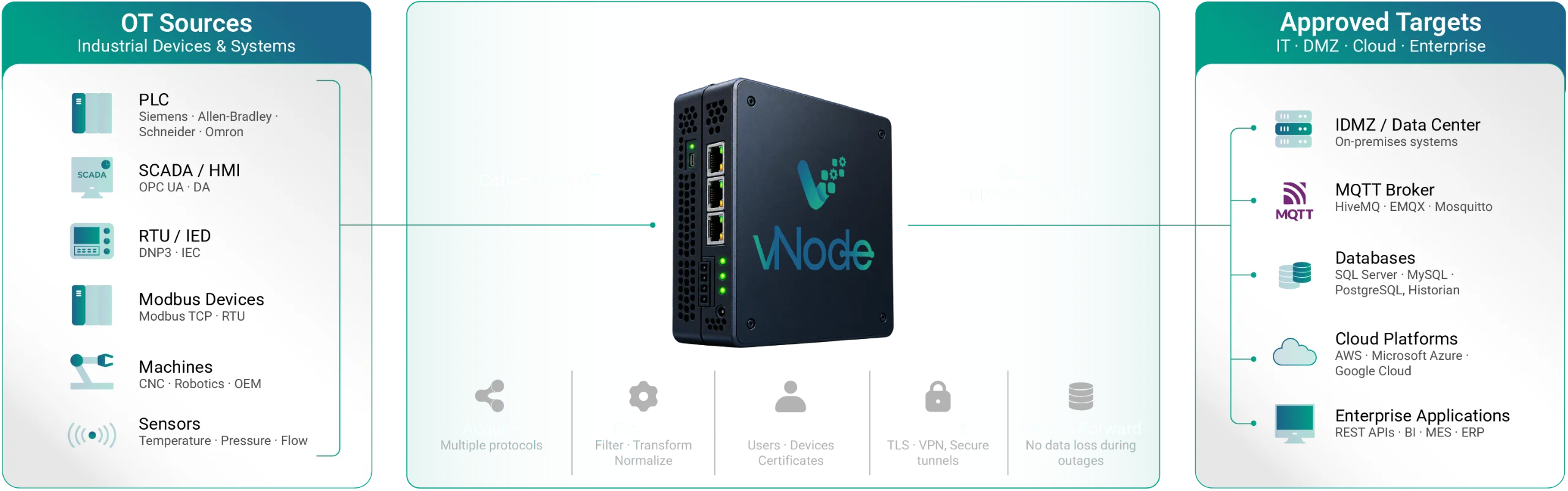
Secure by design
No inbound connections to OT

Protocol agnostic
Connects to any industrial source

Reliable
Store&Forward, even with unreliable networks
Flexible integration
Send data to the systems you already use
Reverse Connection vs. Traditional Client-Initiated Access
Outbound-initiated path · vNode
Who connects
vNode reaches out from the protected side
Firewall rule
No new inbound rule; outbound is still controlled

Exposure
Nothing in OT waits for unsolicited connections
Security review checks
Allowlist, certificates, TLS, egress policy, logs
Traditional inbound path
Who connects
IT or cloud reaches into OT
Firewall rule
Needs an inbound rule across the boundary
Exposure
An OT service is listening and reachable
Security review checks
Exposed service, inbound ACLs, attack surface
IMPORTANT DISTINCTION
No Inbound Port Does Not Mean No Security Review
Removing inbound initiation can reduce exposure, but the outbound path still needs deliberate controls: an open egress path is not “nothing for IT to approve.”

Destination Allowlists
Permit only approved endpoints, protocols and ports. Control DNS/proxy behavior where used.

Identity & Encryption
Use the documented TLS and certificate/authentication mechanisms for the selected vNode data path.

Logging & Monitoring
Monitor connection state, authentication failures, destination changes and abnormal egress.
Keep These Terms Separate
“Reverse Connection” is used loosely across the industry. These are related but distinct concepts, and vNode documentation should not blur them.
Meaning
The OT-side component initiates communication toward a less-trusted zone/IT/cloud; no new inbound initiation into OT is required for that path.
How vNode Should Use It
Primary commercial/security language.
Meaning
vNode product architecture/feature for initiating the required data connection outward from the protected side.
How vNode Should Use It
Use exact product documentation and diagrams.
Meaning
A standardized OPC UA transport mechanism in which the OPC UA Server initiates the TCP connection to a listening client using ReverseHello; SecureChannel/session semantics then proceed normally.
How vNode Should Use It
Use only when the vNode OPC UA implementation specifically supports the standard mechanism; check current module documentation before using this exact term.
Meaning
A mechanism allowing remote users/commands back toward OT through an outbound-established tunnel.
How vNode Should Use It
Do not imply vNode Reverse Connection is remote-access software unless the product actually provides that function.
Reverse Connection vs. Data Diode
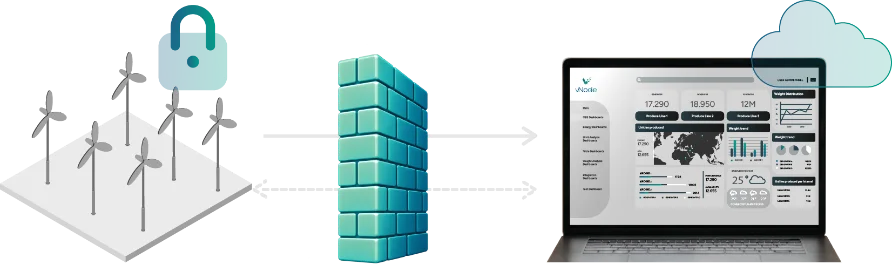
Outbound-Initiated Connection
The protected side opens the session toward an approved destination. This avoids unsolicited initiation from the less-trusted side for that path, but the underlying TCP/TLS session can still be bidirectional.
Data Diode
A data-diode architecture is designed to enforce one-way information transfer at a higher assurance level. Do not use “outbound-only” as a synonym for physically one-way communication.
DMZ + RESILIENCE
Industrial DMZ, Store&Forward and Multi-Site Architecture
The exact ports, destinations, certificates and permitted directions should be documented in the project’s firewall-flow matrix. See the Industrial IDMZ Design article for the full Purdue/Level 3.5 context, and the OT/IT Store and Forward Solution for the dedicated Store&Forward architecture.

Industrial DMZ Deployment
Place controlled integration services in an industrial DMZ, initiating connections from the protected side. Example flow: Plant OT → vNode → OT firewall → IDMZ → enterprise/cloud.

Multi-Site OT-to-IT Architecture
Each plant initiates outward to a controlled central layer independently: Plant A, Plant B and Plant C each open their own approved outbound connection.
Store&Forward for Reliable Data Delivery
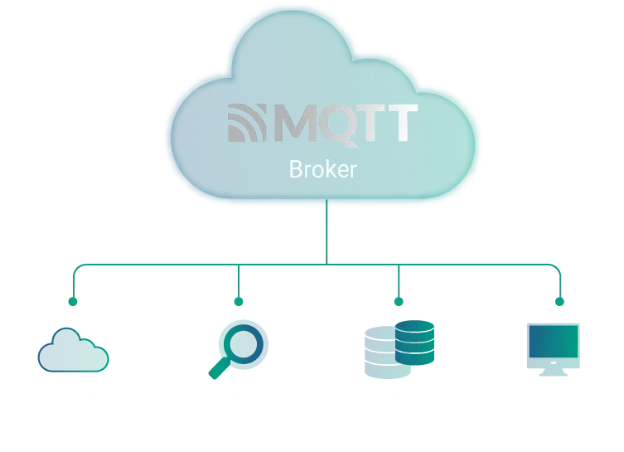
Collect data from PLCs, store it locally during outages, and automatically publish it via MQTT when connectivity is restored.
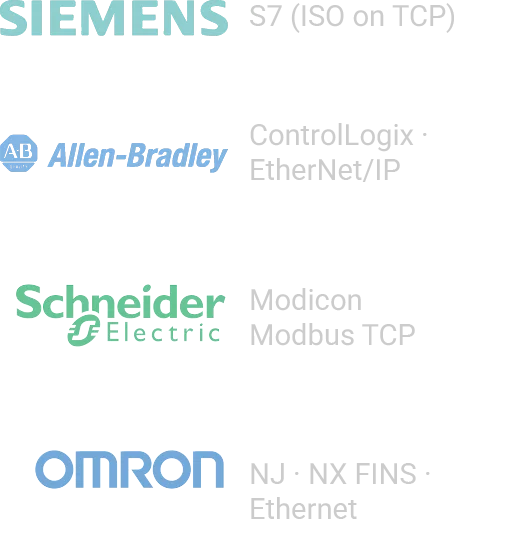
1 Collect from PLCs
vNode acquires data from multiple PLCs using native protocols.
Protocols
2 Store, Process & Prepare
vNode processes the data, stores it locally and prepares the payload for MQTT.
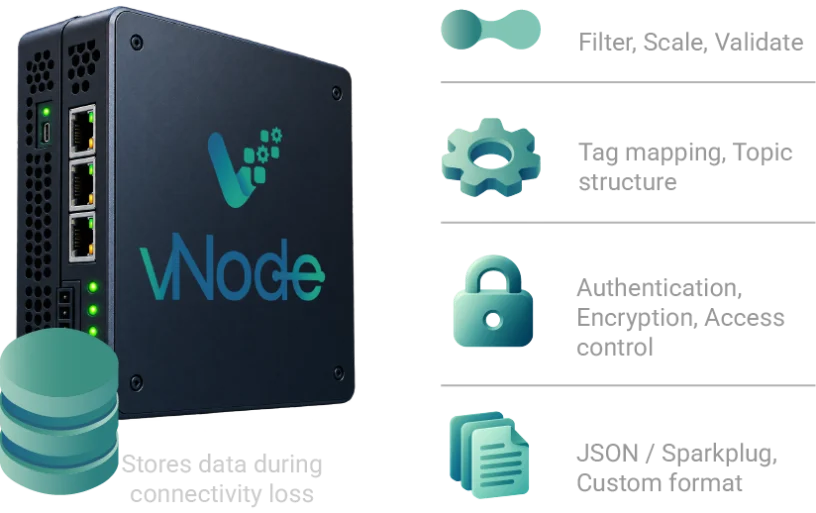
publisher✕Connection lost? Data is stored locally and sent automatically when restored.
3 Publish via MQTT
vNode publishes the processed data to the configured MQTT broker.
Reliable delivery
No data loss with local buffering

Automatic resume
Sends data when connection is back
Secure by design
TLS, authentication, access control
Easy to deploy
No custom code required
Store&Forward During IT/Cloud Interruptions
Where the selected vNode data path supports Store & Forward, local buffering can decouple OT acquisition from a temporary destination outage, subject to configured capacity and documented behavior. See the OT/IT Store and Forward Solution for the dedicated architecture.

Protocols and Destinations
OT Sources
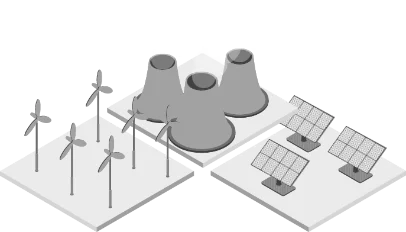
OPC UA/DA, Modbus, Siemens, Rockwell/EtherNet-IP, DNP3, IEC 60870/61850 and BACnet, as supported by the project.

IT / Cloud Destinations
MQTT, SQL/ODBC, REST APIs, cloud platforms and a central vNode node, according to current modules.
Authentication, Encryption and Auditability
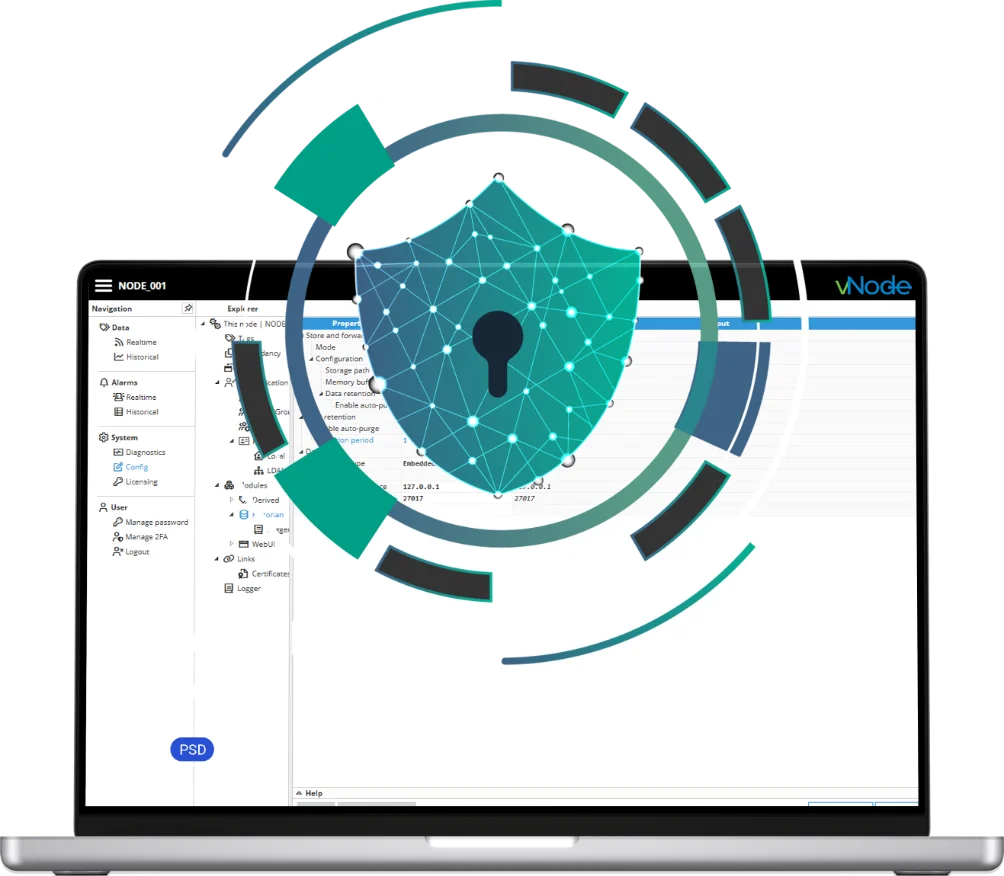
Use the documented TLS/encrypted transport and certificate or LDAP authentication mechanisms for the exact vNode connection and module paths in the project; always confirm current capabilities against the current vNode documentation rather than assuming every path supports the same protocol version. Enable connection and authentication logging where available to support audit requirements.

Design the Data Path Before Opening the Firewall
Map the OT source, vNode node, initiation direction, approved destination, identity, encryption and outage behavior as one controlled architecture.
Frequently Asked Questions
How can I send OT data to IT without opening inbound firewall ports?
vNode can initiate the connection from the protected OT side outward to an approved IT, DMZ or cloud destination, so no new inbound initiation rule is required for that specific data path.
What does outbound-only OT connectivity mean?
Outbound-only OT to IT connectivity means the OT-side component initiates communication toward a less-trusted zone (IT/cloud); the less-trusted side does not need to reach into the OT network to receive that data.
What is a reverse connection in an industrial gateway?
It is the gateway’s ability to initiate the required data connection outward from the protected side, instead of waiting for an inbound connection from IT or the cloud.
Is outbound-only connectivity the same as a data diode?
No. An outbound-established TCP/TLS session is normally bidirectional at the transport level. A data-diode architecture enforces one-way transfer at a different, higher assurance level.
Is vNode Reverse Connection the same as OPC UA Reverse Connect?
Not necessarily. OPC UA Reverse Connect is a specific standardized mechanism using ReverseHello. Use that exact term only where current vNode module documentation confirms that standard is implemented.
Does outbound-only mean the connection is one-way?
No. Removing inbound initiation is a network-architecture pattern; the resulting session can still carry bidirectional application traffic unless a data diode is specifically used.
Do I still need firewall rules for outbound-only OT connectivity?
Yes. Outbound egress must still be explicitly controlled: destination allowlists, ports, protocols and DNS/proxy behavior all need defined rules.
Can outbound-only connectivity work through NAT or an industrial DMZ?
Yes, this pattern is commonly deployed through an industrial DMZ, with the OT-side node initiating toward a controlled DMZ service or endpoint.
What happens if the IT/cloud destination is unavailable?
Where the selected vNode data path supports Store & Forward, local buffering can decouple OT acquisition from a temporary destination outage, subject to configured capacity.
Can vNode send PLC data to MQTT, SQL, REST, AWS or Azure using this architecture?
Yes, once data is acquired from the OT source, vNode can publish it to MQTT, SQL/ODBC, REST APIs and cloud platforms such as AWS or Azure according to the modules configured for the project.
Can vNode run on Linux or ARM inside the OT network?
Yes, vNode documents native Windows, Linux x86-64 and ARM deployments, so the OT-side node in this architecture can run on any of them.
How are certificates and TLS used in the connection?
The exact TLS and certificate/authentication mechanisms depend on the specific vNode connection and module path in use; confirm current capabilities against current vNode documentation rather than assuming a single universal implementation.