


Industrial Data Integration
PLCs to MQTT Gateway
vNode is a PLCs to MQTT gateway that connects controllers from Allen-Bradley, Siemens, Schneider, Omron and other industrial automation brands to MQTT brokers, without adding custom MQTT logic inside the controller. It acquires PLC data through the protocol native to each brand and publishes it to MQTT with web-based configuration, unlimited tags and resilient delivery.
Industrial Data to the Cloud with vNode
Collect from any major PLC, process with vNode, and publish to MQTT through a single PLCs to MQTT gateway.
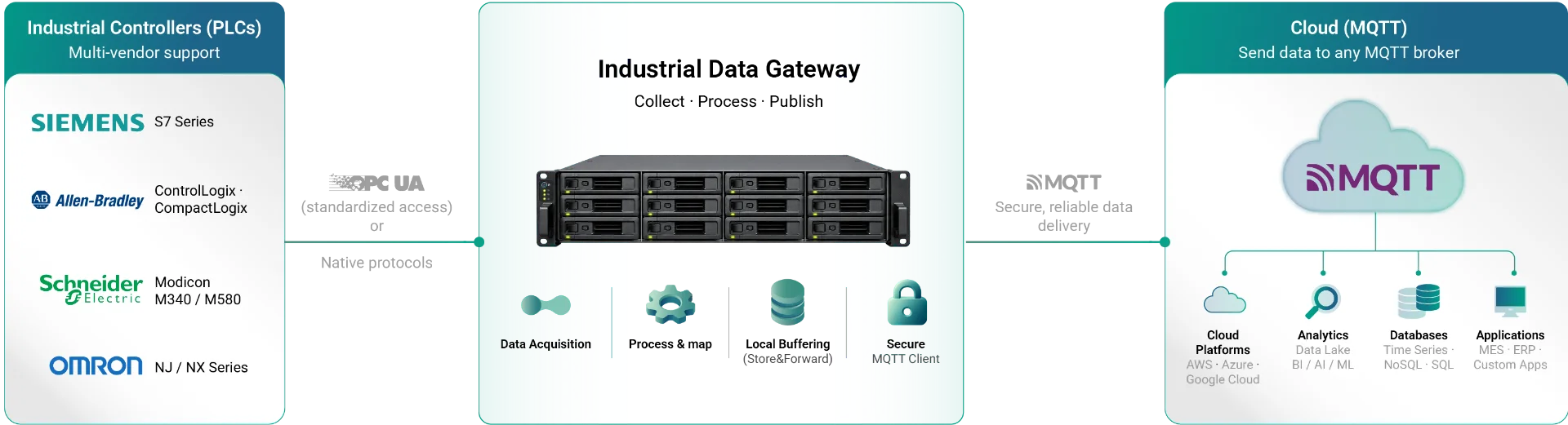

Multi-vendor support
Siemens, Allen Bradley, Schneider, Omron

Store & Forward
No data loss during disconnections

Secure by design
TLS, authentication, firewall support

No custom code
Configure, deploy and run
How it works
From Industrial Data to MQTT in 3 Steps
Regardless of PLC brand, vNode follows the same PLCs to MQTT gateway pattern: connect to the controller using its native protocol, acquire the tags the project needs, and publish that data to MQTT.
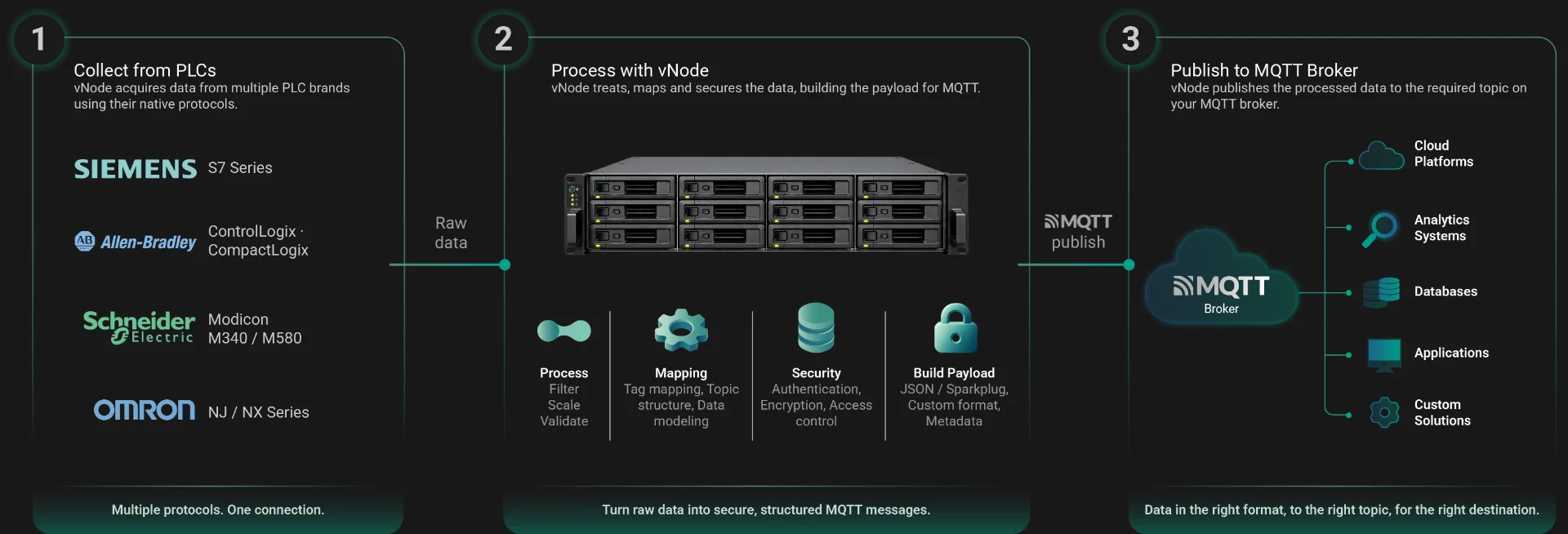
Multi-vendor support
Siemens, Allen Bradley, Schneider, Omron
Reliable data delivery
Store & Forward ready
Secure by design
TLS, authentication, access control
No custom code
Configure, deploy and run
Supported PLC Brands and Protocols
The same vNode PLCs to MQTT gateway can acquire data from multiple PLC brands at once, each over its native protocol.


Siemens
S7-family controllers via the Siemens S7 protocol.

Schneider Electric
Modbus and other protocols supported by Schneider controllers.

Omron
Omron controllers over their supported industrial protocols.
Exact supported models and firmware versions depend on the corresponding vNode driver. Validate against the current module documentation for your specific controller.
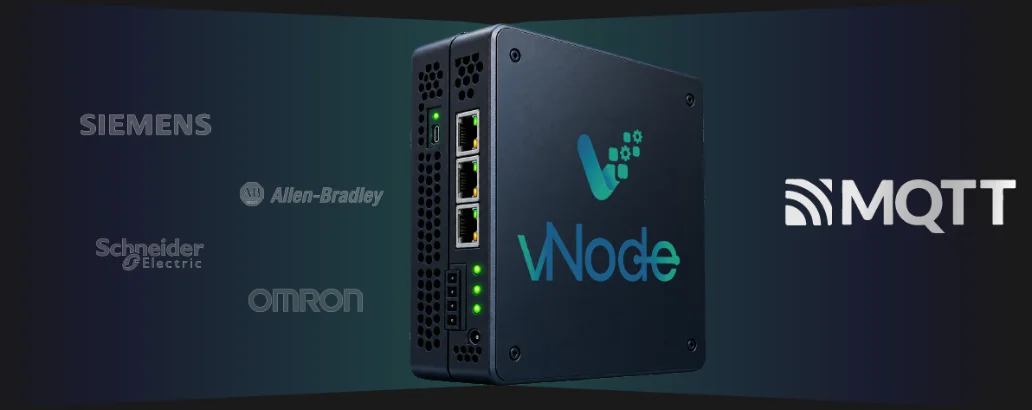
Read PLC Data Without Changing the PLC Program
vNode reads PLC data as an external client over each brand’s native protocol. The controller’s own program does not need to be modified to add MQTT connectivity. The PLC must expose the required tags and allow the corresponding network access.
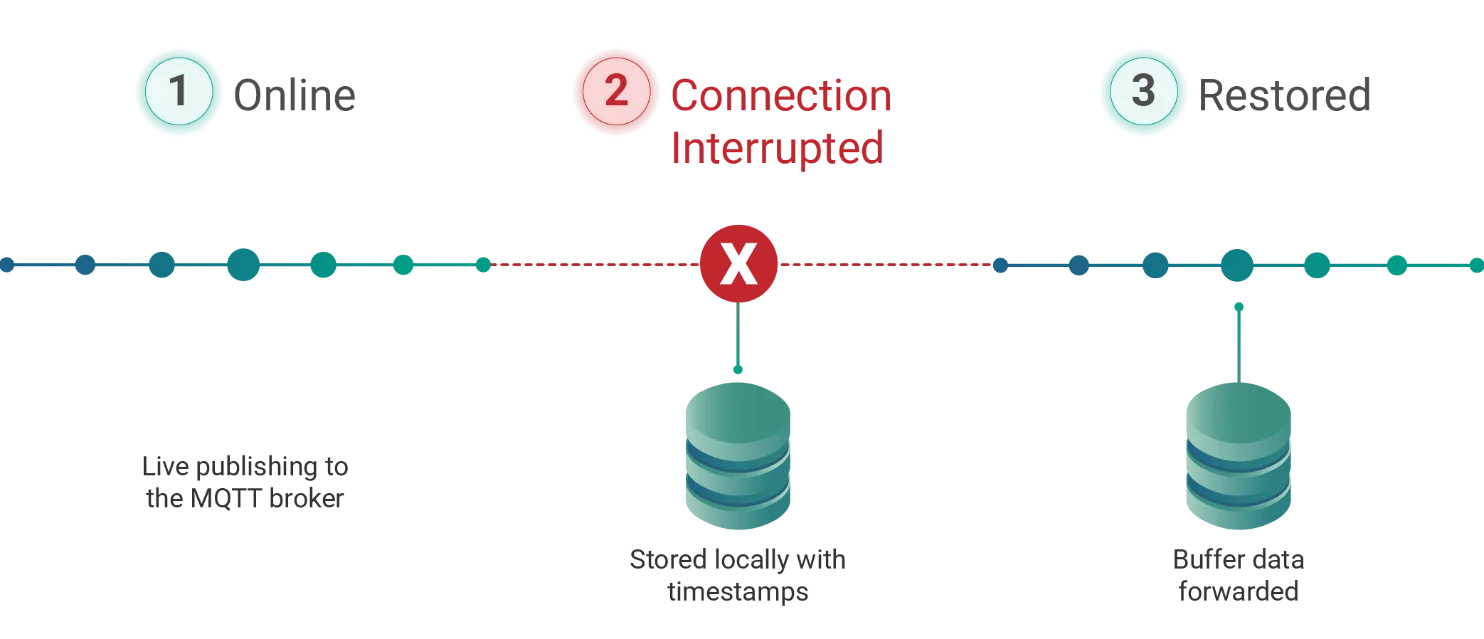
Reliable MQTT Delivery with Store & Forward
What happens if the MQTT broker or WAN connection goes down? vNode continues acquiring PLC data locally and stores it with full timestamps. Once connectivity is restored, the buffered data is automatically forwarded, within the buffer size and retention configured for the project.
MQTT Security

TLS Encryption
Encrypt the connection between vNode and the MQTT broker.

Digital Certificates
Authenticate the gateway and the broker with certificate-based security.

Authentication
Control access to the MQTT broker with standard user authentication.
Beyond the Basics

PLC Data to AWS, Azure and Enterprise Systems
MQTT is one of several northbound paths vNode supports for delivering PLC data to IT and cloud systems.
Multi-Vendor Plants
Real plants rarely run a single PLC brand. The same vNode deployment can combine Allen-Bradley, Siemens, Schneider, Omron, Modbus and OPC UA sources through the same OT-to-IT data layer, publishing all of them to MQTT and other IT destinations.

No-Code / Web-Based Configuration
Each PLC connection and MQTT destination is configured through vNode’s browser-based interface, so there is no need to develop and maintain custom protocol or MQTT code for each PLC brand.
Related vNode Modules to Build This Architecture
Connect Your PLCs to MQTT
Use vNode to bridge Allen-Bradley, Siemens, Schneider, Omron and other PLC brands with modern MQTT and cloud architectures.
Frequently Asked Questions
How do I connect a PLC to MQTT?
Use vNode as the gateway: connect to the PLC using its native protocol (EtherNet/IP for Allen-Bradley, S7 for Siemens, and so on), select the tags to collect, then configure the MQTT destination, topics and payload.
Can vNode connect Allen-Bradley ControlLogix and CompactLogix to MQTT?
Yes, vNode connects to these Rockwell controller families over EtherNet/IP and can publish the collected data to MQTT.
Can vNode connect Siemens, Schneider or Omron PLCs to MQTT?
Yes, vNode supports multiple PLC brands through their respective native protocols, each publishing to the same MQTT destinations.
Do I need to modify the PLC program?
No. vNode reads PLC data as an external client over the native protocol; the controller’s own program does not need to be modified, though the PLC must expose the required tags and network access.
How are PLC tags mapped to MQTT topics?
Each PLC tag is mapped to a named vNode tag, which is then published under a configurable MQTT topic. For example, Motor_Speed_RPM can become the topic factory/line1/motor/speed.
Can vNode publish PLC data to any MQTT broker?
vNode can publish to standard on-premise or cloud-hosted MQTT brokers, including generic brokers and cloud services such as AWS IoT and Azure IoT Hub.
What happens if the MQTT broker or WAN is unavailable?
Store & Forward can retain pending data locally during the interruption and resume delivery when communication is restored.
Can PLC data be sent to AWS or Azure?
Yes, PLC data collected by vNode can be published to MQTT brokers and cloud services including AWS IoT and Azure IoT Hub.
Can the same gateway collect from multiple PLC brands at once?
Yes, a single vNode deployment can combine Allen-Bradley, Siemens, Schneider, Omron, Modbus and OPC UA sources in the same OT-to-IT data layer.
Can vNode run on Linux near the PLC?
Yes, vNode runs natively on Linux and ARM in addition to Windows, so it can be deployed close to the PLC on edge or embedded hardware.